Showing posts with label video. Show all posts

Saturday, 19 December 2015

Create Christmas Jibjab dance for free(100% working)

Jibjab videos and cards are best way to greet someone on Christmas. But the problem is we need to pay for every single video created or cards created. In this post you will learn how to download those videos without paying a single penny.


We we get started make sure you have following software installed on your system . we are gonna use those software for this hack. 

Software required:
Camstasia for Mac
CamStudio for windows
Latest version of jdk
A sound recorder (mic)
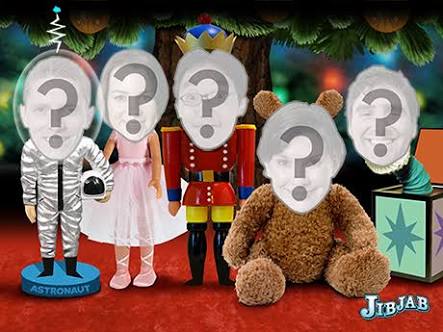


First of all go to the jibjab website. And do registration. After registration select the video theme for your creation. I assume you select Santa theme video. Personalize the video by adding your faces to the character. It will start processing the video. This gonna take some time. In the mean time open camstasia for Mac or Camstudio if you are using windows. Once opened select full screen recording mode. Once processing of video ends. The video will be available for preview. Play the created video in preview and full screen mode. Once the video starts playing start the recorder. It will start recording your screen. Which is your personalized video.

If you are using camstasia in Mac you would not face problem while recording the audio from video. Coz it record system audio. But problem arrive when you are using Camstudio. Since Camstudio can't record audio from the system we need to record audio from speaker output through mic.

Hope this will help all of you. If you find this helpful share this post with others. 

Friday, 19 December 2014

Download jibjab videos for free (100 % working method)

Christmas is coming,so we all are set to party give greeting to your loved ones and off course have some fun.Ever think about greeting someone with his funny cartoon video's. if you do this,this will make his day.so here i will show you how to download and create Jibjab videos for free without paying a single penny.


THINGS YOU WILL NEED:

  • screen recorder (online recorder recommended)
  • microphone
  • Speakers

first of all, cast your video and personalize it. after that you'll be able see the preview of the video on jibjab. though the full preview is available for a handful of video. load your screen recorder software
i recommend online screen recorders like screenr and Screen-o-matic. which are applets programs and don's consumes much memory and they are quick. you can use screen recorder software like camstudio,adobe screen Captivate or Screen recoder which come pre-installed on mac.


once you are done with this play the preview video in full screen mode and place the recorder onthe video in full screen mode.For audio,either you select record audio from speaker which is available in mac only OR you can place your microphone near the speaker of your PC to get the audio though the audio quality will differ but there is not much difference. After that just download the video in any format you want normally it is .Mp4.

Here is the instructional video for jibjab download: